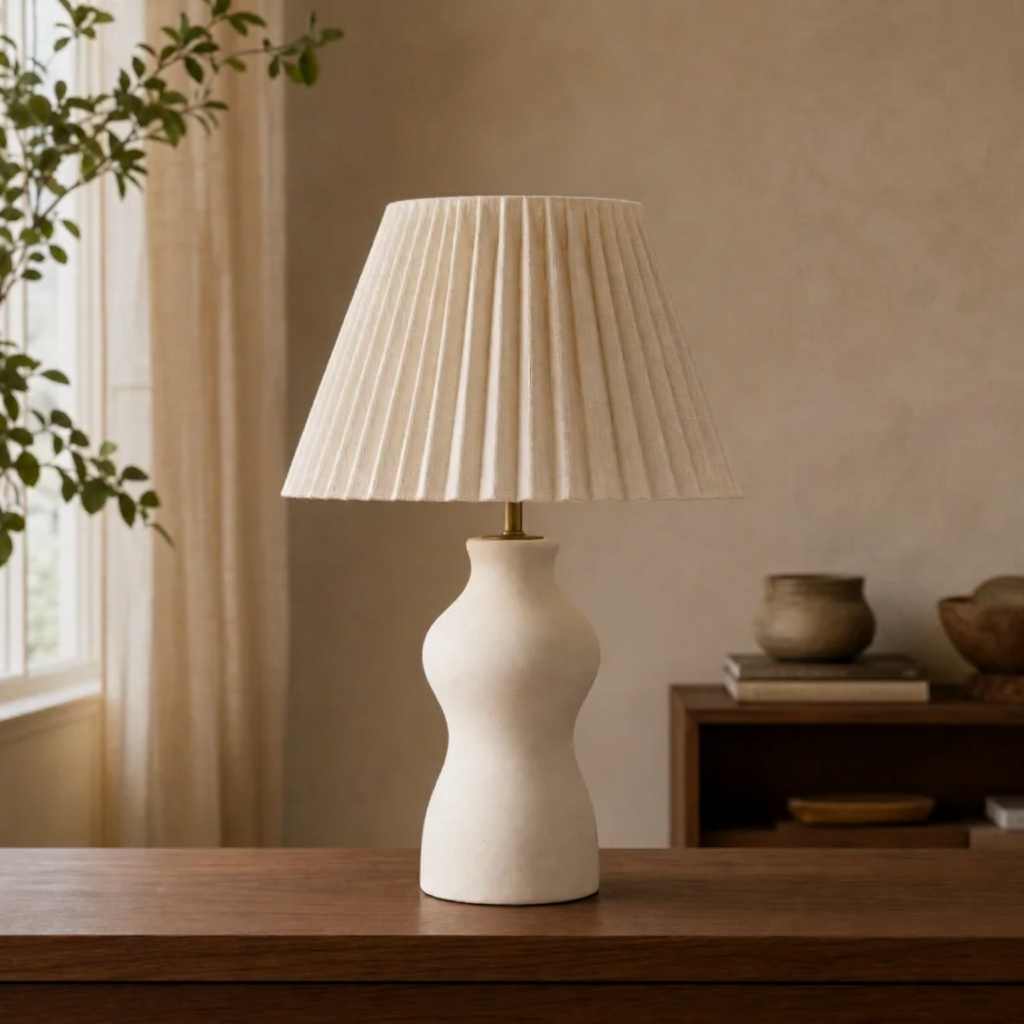
Upload your photo, describe what you want changed, and download a new image. Try 2 free edits shared with photo face swap. No account needed. No added watermark.
Your edited image appears here
Upload one photo and describe your edit to get started.
What is image to image AI?
Image to image AI starts with a picture you already have. You upload that picture and describe a change: turn a snapshot into a watercolor, replace a busy background, add a vase to a table, or remove an object from a scene. The model uses your picture as a visual reference and returns a new image based on your instruction. An image to image generator follows your edit instruction instead of inventing the whole scene from scratch. This is why an AI image generator from image is useful when the starting composition matters.
Be specific about both the change and the details you want to keep. “Change the wall to pale blue; keep the sofa, lighting and camera angle” gives the model a clearer task than “make it better.” Results are generated, so small details, text and faces may still change. Check the output before using it, especially for product photos or anything that needs to represent reality accurately. This tool does not convert JPG files into PNG files, and it does not require a second face photo.
How to edit a photo with AI in 3 steps
01
Upload one image
Choose a JPG, PNG or WebP up to 5 MB that you own or have permission to edit. Start with a clear photo where the subject and the area you want changed are easy to see. A single image is enough; you do not need a source face or a second reference.
02
Describe the change
Write what to change and what to preserve. Try “Replace the background with a sunny garden, keeping the person and clothes unchanged.” Submit the edit when your instruction is ready. A security check may appear at this point; you can cancel and retry it without sending the photo.
03
Review and download
Wait for the result, compare it with your original, and download the edited image. The default output is 1K PNG with no added site watermark. Save it while the result is available. If important details changed, make the next instruction narrower; exact pixel preservation is not guaranteed.
Free, no sign up, no watermark — what you actually get
You can try image editing without creating an account or entering payment details. The allowance is 2 free tries shared with the photo face swap tool. If you already used those tries on a photo swap, opening this page or switching language does not create another allowance. Each request produces one image at the default 1K resolution, and SwapFaceHub adds no visible watermark to the download.
This is a limited free trial, not a daily refill. Browser and network limits apply, so people sharing a network may share the allowance. There is also a sitewide budget of 100 free image requests per UTC day, shared between these tools. When that capacity is full, the interface explains that free generation is unavailable. Existing signed-in users can use their available credits at 24 credits per image; the button shows when credits will be spent. The service never silently switches a submitted free request to a credit charge. Package checkout is currently unavailable.
Is image to image free unlimited?
No. SwapFaceHub does not provide unlimited free image edits. Searches for “image to image free unlimited” often mix two different expectations: being able to edit without a subscription, and being able to generate as many images as you like. Here you can start without a subscription or an account, but you still have a limited allowance and share the daily free capacity with other visitors.
The remaining number displayed beside the tool is the allowance available to your current browser and network. It does not reset when you refresh, visit the Chinese page, or switch from face swap to image editing. A confirmed generation failure restores the personal free attempt; the daily request budget still counts the attempted work. If a provider response is uncertain, keep the saved request and check its status instead of repeatedly submitting new jobs. These limits let us offer a small real trial while keeping ongoing generation costs bounded. There is no promise of unlimited retries or a new free allowance every day.
Does image to image AI have no restrictions?
No. “No restrictions” is not an accurate description of this tool. File formats, upload size, prompt length, generation capacity and acceptable-use rules all apply. Upload one JPG, PNG or WebP of up to 5 MB and describe the edit in up to 2,000 characters. The tool requests one 1K result at a time; it is not a batch editor or a guaranteed precision retouching service.
Only upload pictures you own or have permission to use. Do not use edits to impersonate someone deceptively, create non-consensual intimate content, exploit children, or mislead others about real events. The provider may refuse an image or instruction, and an accepted request can still produce an imperfect result. Review faces, hands, lettering and other important details before sharing. For a product listing, make sure the final image still represents the actual item. If a result is inappropriate or infringes your rights, use the report link in the footer. See our acceptable-use policy for the rules that apply to the service.
Yes, when your free allowance and the shared daily capacity are available. You can open this page, choose a photo, enter an instruction and submit without signing up. A browser security check is separate from an account: it protects the free generation endpoint and may ask for a short interaction after you press the edit button. It does not require you to register with SwapFaceHub.
Signing in is only needed here if you want to use existing account credits after the free allowance is unavailable. Signing in does not replenish the shared trial, and the interface shows the credit cost before you submit. Anonymous results belong to the browser that created them. Keep that browser open while the job runs and download the image when it is ready. Do not assume the result will be kept indefinitely or appear in another device’s account history. Your photo must be uploaded to our processing provider to perform the edit; this is not an offline editor running entirely on your phone.
What you can change
Start with one clear instruction. These prompts describe intended edits; the model may also alter other details.
Change the style
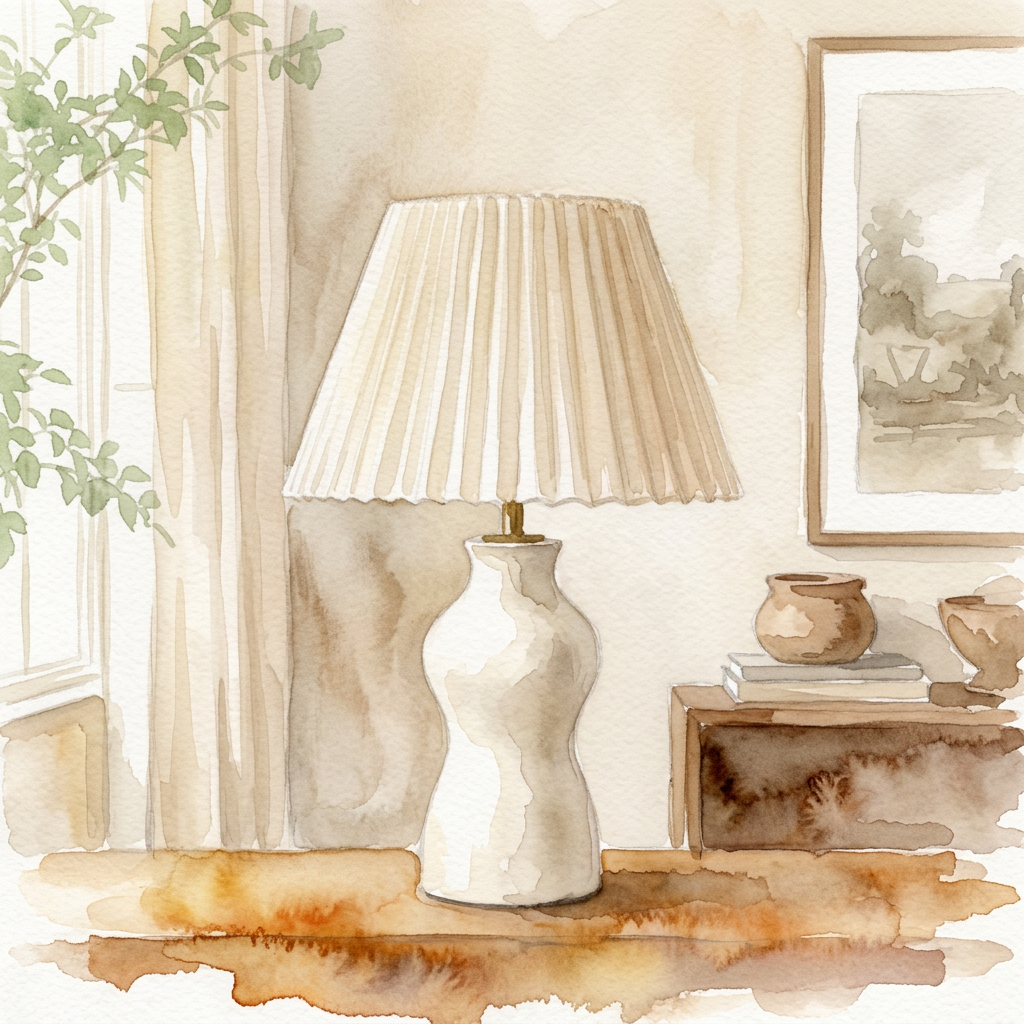
“Turn this scene into a soft watercolor painting. Keep the original composition.”
Original imageEdited result
Replace the background
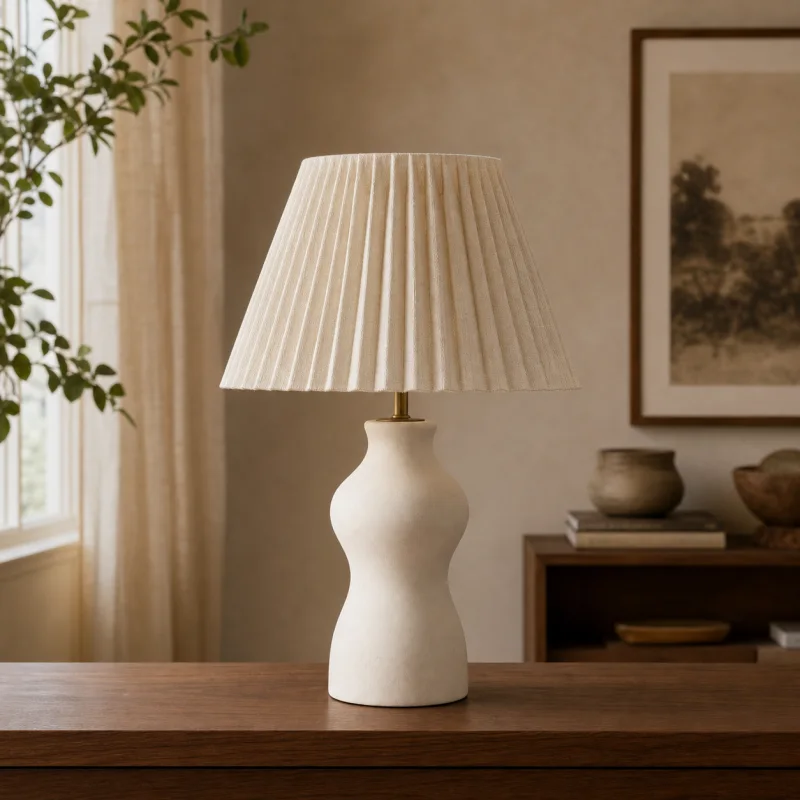
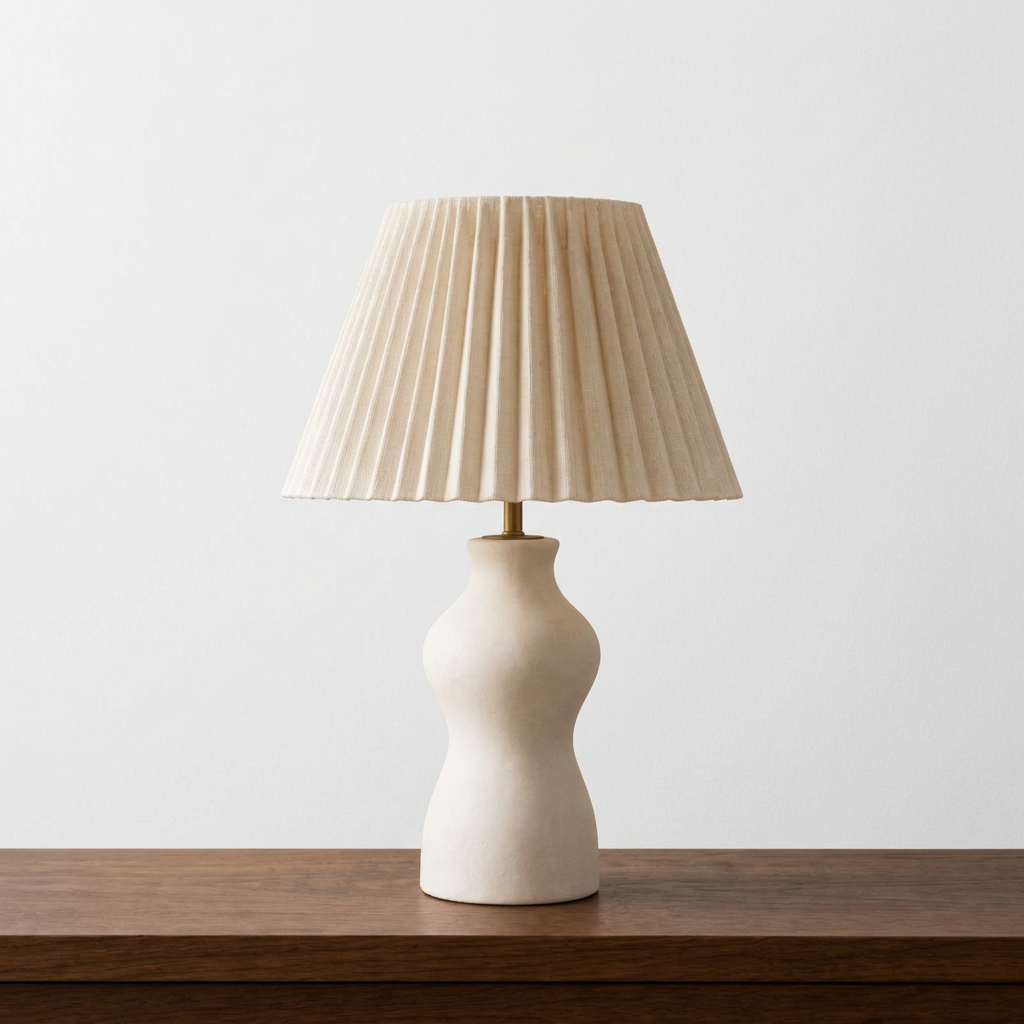
“Replace the background with a bright studio wall. Keep the lamp and wooden table unchanged.”
Original imageEdited result
Add an element
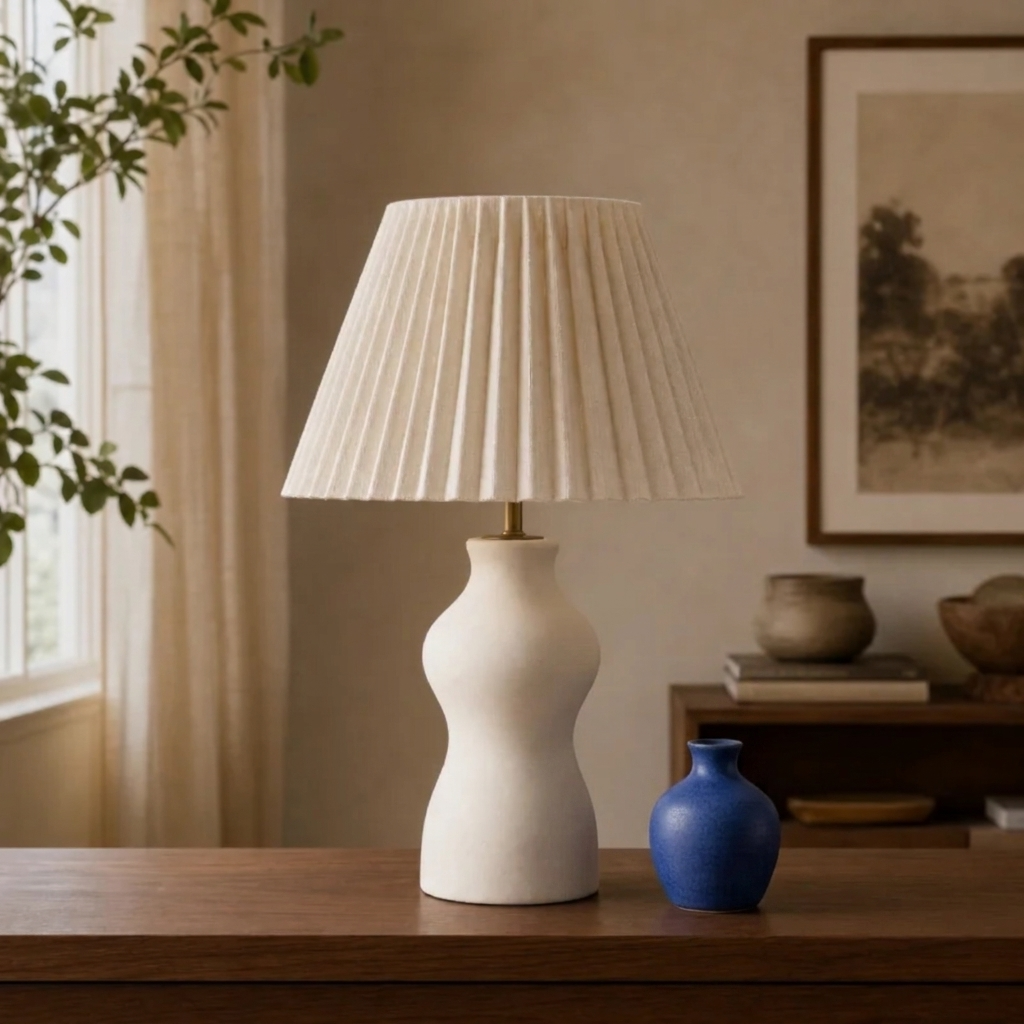
“Add a small blue vase on the table to the right of the lamp, matching the perspective and lighting.”
Original imageEdited result
Remove an object
“Remove the framed picture on the wall and fill its space naturally. Keep the lamp and the rest of the scene.”
Original imageEdited result
Actual output from this tool’s Nano Banana 2 image editing pipeline. Results vary.
Image to image vs face swap vs text to image
Choose the tool based on what you want to supply and what you want changed. Image to image takes one picture and a written instruction. It is a good starting point for styles, backgrounds and objects. Photo face swap takes a target picture and a source portrait, with the specific aim of replacing a face. Text to image starts from a written description and does not require your original photo.
These workflows may use related image models, but they are not interchangeable. If you need a different face in an existing photo, use our photo face swap tool. If you want to change a wall, add a prop or reimagine the visual style, stay on this page and describe that edit. For moving footage, the separate video face swap page explains its own input requirements and credit cost. The free image allowance does not cover video processing. Choosing the right input flow makes your intention clearer, although no generative tool can promise that every unchanged detail will remain pixel-identical.
Image to image AI FAQ
Is image to image AI really free?
+
There are 2 free tries shared with photo face swap, subject to browser, network and daily site capacity limits. This is a limited trial, not unlimited or a daily refill. No payment details are required for the trial.
Do I need an account?
+
No account is needed for available free tries. Sign in only to use existing account credits after the free allowance is unavailable.
Can I use it on my phone?
+
Yes. Open this page in your mobile browser and choose a JPG, PNG or WebP from your device. If your phone saves HEIC, export a supported format first. The upload limit is 5 MB.
Will the download have a watermark?
+
SwapFaceHub does not add a visible watermark. Existing marks in your source image may remain; only edit material you have permission to use.
What happens if generation fails?
+
A confirmed failure restores the free attempt or credits. If the provider has not confirmed the request, keep the saved job and check again later; do not submit duplicate requests.
Cookie Settings
Optional analytics help us understand site use. Accept or reject analytics and session replay. Essential trial and security cookies stay on.
 SwapFaceHub